10%
YOU FEEDYour expertise.
Your voice. Your ideas.
Add a client-safe call, podcast, YouTube video, transcript or voice note. Include the questions you keep answering and the examples only you can give.
 TrafficMaxxing OSGet the system
FEED THE MACHINE. KEEP SHOWING UP.
You already do the calls. Record the podcasts. Make the YouTube videos. Let’s get more of that out into the world.
Feed TrafficMaxxing OS your videos, transcripts, questions and ideas. Turn them into clips, carousels, posts, emails and new scripts. Review, publish across your channels, and bring what you learn back into the next batch.
DIY dashboard + content workflows · Install in your own setup
Your own Claude Code subscription and third-party costs are separate.
Watch the workflow in action ↘
Earlier hosted-workspace walkthrough. Community access, future training and ongoing support mentioned in this recording are not included in the DIY offer. The DIY purchase is a download; its version and features may differ from the workspace shown.
YOU’RE ALREADY DOING THE WORK
You just spent an hour answering the questions your next customer has. Or you recorded a podcast. Or you finally got that YouTube video up.
There are clips in there. Posts. An email your list would want to read. But someone still has to find the ideas, write the copy, edit the footage and get it ready for each platform. You have clients to get back to.
Think about what you’d hand to a media team: your expertise, your voice, your point of view. Their job is to help you get it out. That’s the work you’re giving TrafficMaxxing OS.
THE 10–80–10 RULE
Your knowledge goes in. Content comes back for review. You stay involved where your judgment matters.
Add a client-safe call, podcast, YouTube video, transcript or voice note. Include the questions you keep answering and the examples only you can give.
Find the useful ideas. Cut clips. Write posts and emails. Build carousels. Draft new video scripts. Use your brand context to give the work your voice and direction.
Check the work, ask for changes and record any new scripts. Publish the pieces you approve through your own tools. Then pay attention to what people respond to.
10–80–10 is a way to divide the work, not a measured time-saving promise. Setup, source quality and review affect the work involved.
THE CONTENT FLYWHEEL
A comment becomes a question. A question comes up again on a client call. You answer it with a new example. That answer becomes the next video, email or post.
Work you’re already doing.
Clips, posts, emails, carousels & scripts.
Check the work. Choose what goes out.
Publish through your connected tools or export.
Notice what people ask, save and respond to.
Feed that context back in. Bring the comments, client questions, new examples and available performance results into your next brief. Use them to decide what to say next.
ONE CALL. DIFFERENT WAYS TO SHARE THE IDEA.
INSIDE YOUR MEDIA TEAM
Your local dashboard keeps the content and its next steps together. Use the included skills for the work you’d otherwise hand to an editor, writer or content planner.
Add your recording and start the editing workflow. Work on cuts, pacing and captions through your instructions. Review the finished file and request changes.
See the raw take and finished edit ↗Use a podcast, YouTube video or call to make short clips, carousels, social posts and emails. Choose the formats that fit the idea and the channel.
Use transcripts, client questions and your own ideas to draft hooks, talking-head scripts and YouTube outlines. Build a content plan with copy and recording notes.
Prepare hook variations from an approved reel with a saved edit plan. Review each version and choose what to test through your own account.
Keep drafts, edits and feedback in the dashboard. Approve the content, then export it or use supported publishing connections you’ve set up with your own accounts.
Use available post results alongside audience questions to guide your next batch. Dashboard analytics need a supported connection returning real data; you can also bring results from your platform insights into your next brief.
This is the downloadable DIY edition with a local dashboard. Connected publishing and analytics require compatible accounts and setup; third-party costs are separate. The content loop includes your input and review.
WHY I BUILT THIS — STEPH
In September, I started recording on my phone while I made my YouTube videos. I was already doing the talking. I wanted that same work to become more than one YouTube video.
The idea was to feed those recordings into the machine and use them for clips, written posts and more things to talk about. Keep the expertise. Get more use from the time I’d already spent sharing it.
SARAH’S PHONE-RECORDING MOMENT
“Now, I filmed these from my phone, which is a game changer.”
Sarah was using the editing skill in her own dashboard to cut up her coaching calls. She was already having the conversation. Recording it on her phone gave her footage to work with.
From the WhatsApp video Sarah shared with Steph. Her existing workflow is shown, not a new installation of this DIY release.
SEE A REAL EDIT
You don’t need to get every sentence right on the first take.
Here’s a 4-minute recording cut down to a reel. Restarts and all. Give the editor your footage and direction, then review the cuts, pacing and captions.
This earlier edit comes from Steph’s existing content system. It is not a fresh-install test of this DIY edition. Results depend on your source material and instructions; no output or production time is guaranteed.
SET UP YOUR MEDIA TEAM
Your purchase includes the TrafficMaxxing OS ZIP, existing installation training and documentation.
Follow the instructions with your own Claude Code subscription. Set up your folders, brand information and workflows in your own compatible environment.
Choose a video, podcast or client-safe recording. Ask for a reel from a useful answer, a carousel from a lesson, or an email from the same idea. You can start with written material, too.
Watch the edit or read the draft. Ask for changes in plain English. Check the facts and captions, then export and post through your own tools. New scripts need recording; clips need usable footage.
FROM AN EXISTING EDITOR CUSTOMER
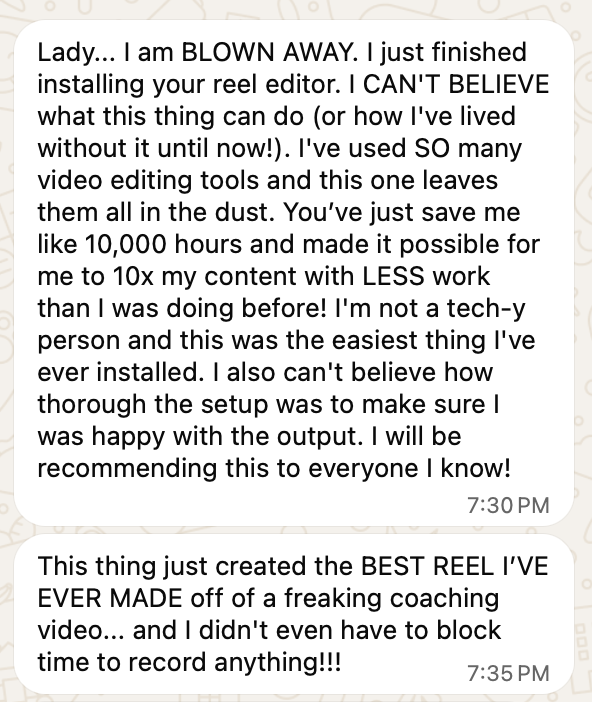
“This thing just created the BEST REEL I’VE EVER MADE off of a freaking coaching video... and I didn’t even have to block time out to record anything!!!”
Customer message shared with Steph about the earlier editor. This is not an independent test of the DIY edition; its installation and support conditions were not verified. Results vary. Read the original message ↗
FOR FOUNDERS WITH SOMETHING TO SAY
A call. A new idea. Something you explained to a client. A question in your inbox. Give your media team those starting points and a clear direction for what you want to make.
Install it in your own setup with your own Claude Code subscription. You choose the direction and approve what you publish.
THE LIMITED-TIME DIY BETA ROUND
Get the local dashboard, content planning, repurposing and editing workflows, plus the instructions to install and run them. Feed it the work you’re already doing and build your content flywheel.
Limited-time beta round
November 16–22, 2026
Future availability and pricing will be evaluated after the campaign. No automatic price increase is promised.
TRAFFICMAXXING OS · DIY
One-time purchase. After checkout you go straight to your download page with the system, the Content Skill Pack and setup steps.
No ongoing support subscription is included. Purchase and delivery failures still receive a remedy. Read the DIY purchase terms.
BEFORE YOU GET STARTED
This is a downloadable DIY system. You install and run it in your own compatible setup. Hosted SaaS access is not included.
Yes. You need your own Claude Code subscription and compatible software accounts. Those subscriptions and any third-party usage costs are separate from your $247 purchase.
No. The included training, documentation and Claude-assisted installation guide you through setup. Individual technical support, troubleshooting sessions and custom implementation are not included. Contact us if payment or product delivery fails so we can resolve it.
Access to the downloadable purchased version of TrafficMaxxing OS, its existing installation training and documentation. Follow those instructions for installation, folder setup and brand onboarding.
No. Your purchase includes the version you buy. It does not include future software updates or ongoing support.
You review the finished edit. The workflow helps find useful moments and make cuts, so you can give feedback instead of choosing every cut yourself. Expect to check captions, context and pacing, and ask for another pass when needed.
Yes. Start with your ideas and expertise to draft scripts, posts and emails. Repurposing recordings is another workflow. Video clips need usable footage, and talking-head scripts still need recording.
You review and distribute your content using your own tools. Supported publishing connections require their own setup and compatible accounts. The purchase does not include a third-party publishing subscription.
No. TrafficMaxxing OS helps with content production. Your offer, source material, judgment, distribution and audience affect results.
FEED THE MACHINE. KEEP SHOWING UP.
Your videos. Your ideas. Your client questions.
Feed your media team. Review. Publish. Bring the response back.
One-time purchase. Your accounts. Your review. Your content.